The Web App
If you are new to crypto currencies or Pulsechain read on, if not, skip to the web app description or the tutorial section at the bottom:
There are several crypto currencies, some of them, as Bitcoin or Ethereum or Pulsechain, are called Layer 1 or L1 chains.
Being L1 chains, other tokens can be minted and traded on that chain, and in order to transact in that chain you require its currency for all that chain has to offer, it is basically the currency of the land, like you need Euros in Europe or Yuan in China, you need $PLS (Pulse) in Pulsechain
All modern Layer 1 chains offer DeFi (decentralize finance), with certificates of deposit that earn yield in the form of a currency of the chain, other finance products that earn yield as well as trading platforms for buying and selling currencies (tokens) or digital art (NFTs)
To use the DeFi services of Pulsechain you require a wallet, once you configure the wallet you will get your account numbers (in crypto are called "wallet addresses") which you will use to send and receive funds, you will have a bank in your hands to manage your funds with no intermediary (financial brokers or banks), for you to transact with others 24/7, 365 days a year.
We suggest OKX Wallet, you need to choose the web3 option in the mobile or web browser extension, do not sign up, setup your new wallet or import your current one and fund it by transferring funds from your preferred crypto exchange or buying with credit card in ChangeNow or consider StealthEx (around 3% fees to buy with crredit card, but quick and easy, conveniently directly into your wallet without KYC policies with low amounts)
Bellow you have fully operartional widgets to secure exchanges, compare rates and chose the best deal.
There are other ways to fund your wallet directly with $PLS, you can use COAST to buy it with your fiat currency and transfer directly to your crypto wallet, requires KYC though.
Now that you have the currency of the land; $PLS; you are ready to transact, you may have done certificate of deposits for instance (check $HEX ) or traded successfully in PulseX ($PLSX ) and now you want to use some of those earnings to pay for goods or services, pay your taxes, send money to a family member or friend or send funds to your bank account or broker account or centralized crypto exchange... Be careful, do not expose yourself!
If you have been reading and paying attention, in most advanced L1 chains, the transactions are not private, all is logged in a ledger (called blockchain) and therefore, when you pay to a merchant, or friend, or service provider you expose your portfolio details with the person or business you are transacting with, they will not be able to access your funds, but they will be able to observe all your transactions and how much you have. Not an ideal situation. Most people thinks crypto is private, in most cases is not.
Here is where ZKZX Cash web app comes to empower you with that privacy.
In most countries in the world you have the right to transact with privacy doing banking or crypto transactions online. Using this web app, you will transfer the funds you want to use to transact with others into a brand new wallet (crypto bank account), this new wallet will not be connected in any way to your usual wallet, thus, the person or business you transact with will not be able to see your portfolio. Even better, cyber criminals that use chain analysis to connect transactions won't be able to trace your payments to any of your wallets neither, thus, you are safe from all potential dangers, physical and online.
Learn to use the web app and do it right, failing to do it correctly, like using one of your old addresses to withdraw from the web app will cancel the privacy effect you need.
BELLOW IS DEPICTED HOW THE WEB APP USER INTERFACE LOOKS LIKE
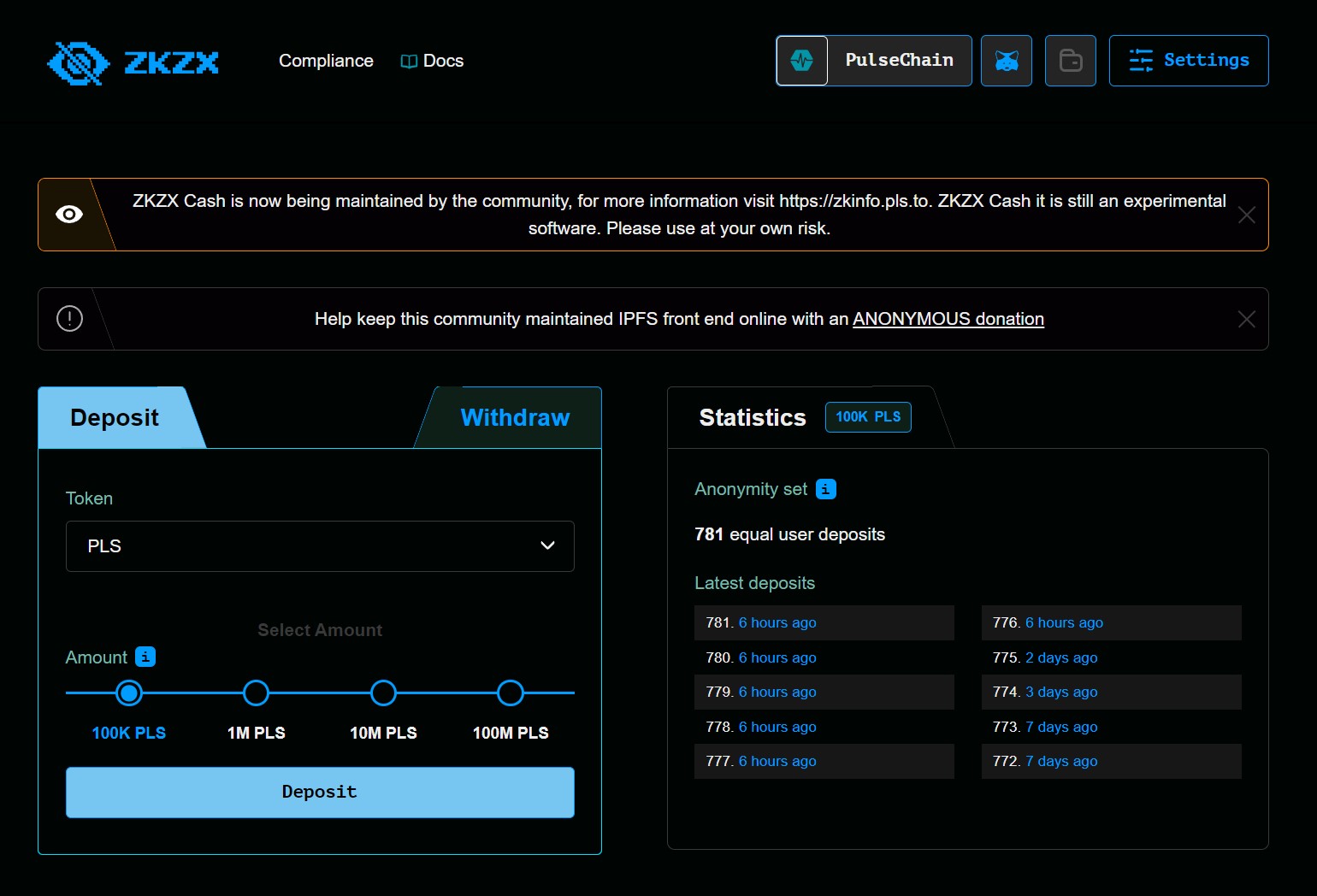
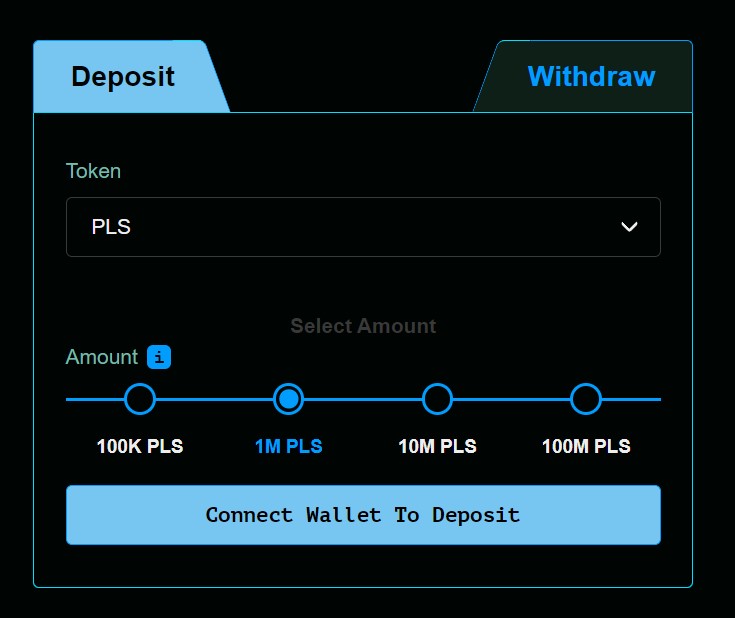
To deposit you need to connect your wallet, once you connect, the button "Connect Wallet to Deposit" will change to "Deposit".
Choose what pool to use to deposit your funds. You have 4 different pools or buckets to choose from. The more equal deposits are in the pools the better for your privacy, you will receive a note, after your deposit, keep it safe, you will need that note to withdraw your funds into a new address.
As good privacy practice, wait for at least 24 hours and 5 more deposits, yours or from someone else before withdrawing your $PLS
Below you have a short video from the "How to series of the ZKZX Cash Web App" hosted on the community channel in Odysee.
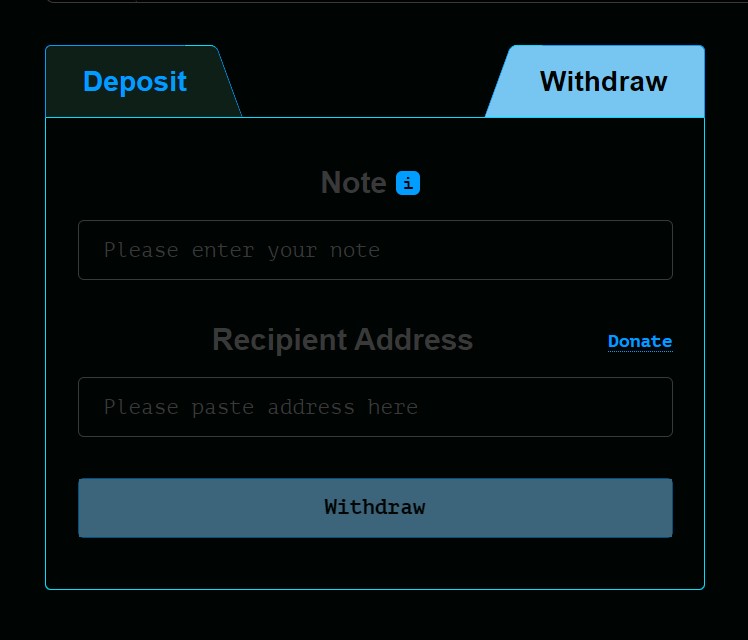
To withdraw, you do not need to connect your wallet, unless you have set up a Note Account with your web3 Wallet, in such case, you will connect and use your wallet to retrieve the note.
Use the note that you received when you made the deposit and select a new wallet with no connection to any of your previous wallets to receive your funds. You can use as well this method to perform a payment or to make a donation. For added security, do not withdraw too soon your funds after a deposit. Waiting at least 24 hours adds security, and at least 5 additional deposits from other addresses (yours or from someone else) after your deposit is ideal before withdrawing.
Below you have a short video from the "How to series of the ZKZX Cash Web App" hosted on the community channel in Odysee.
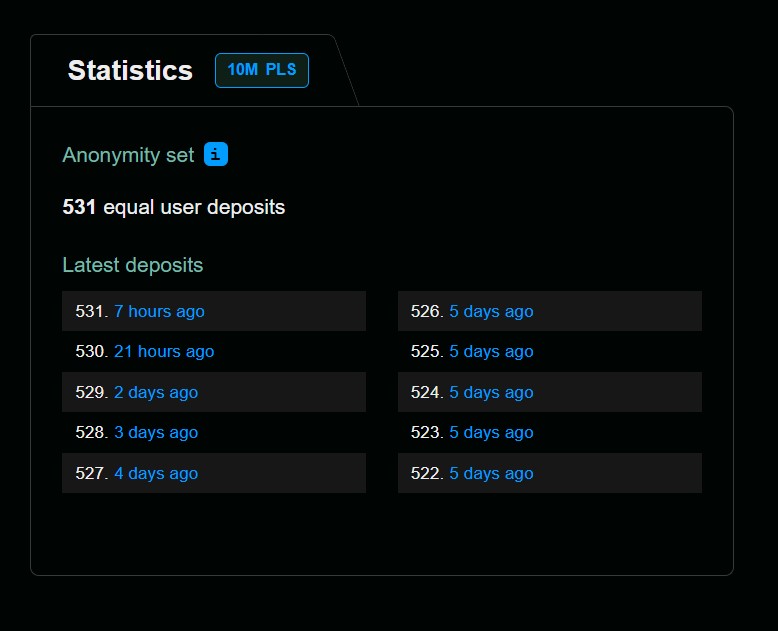
Here you can observe the current deposits in the selected pool and monitor how many deposits were done after you have perform yours. Rememeber, waiting at least 24 hours is important to increase your privacy level. Plan ahead, if you deposit and withdraw very soon with almost no additional activity in the pool, a chain analysis company can link your transaction with your wallet using algorithms based in behavioral patterns that involve time.
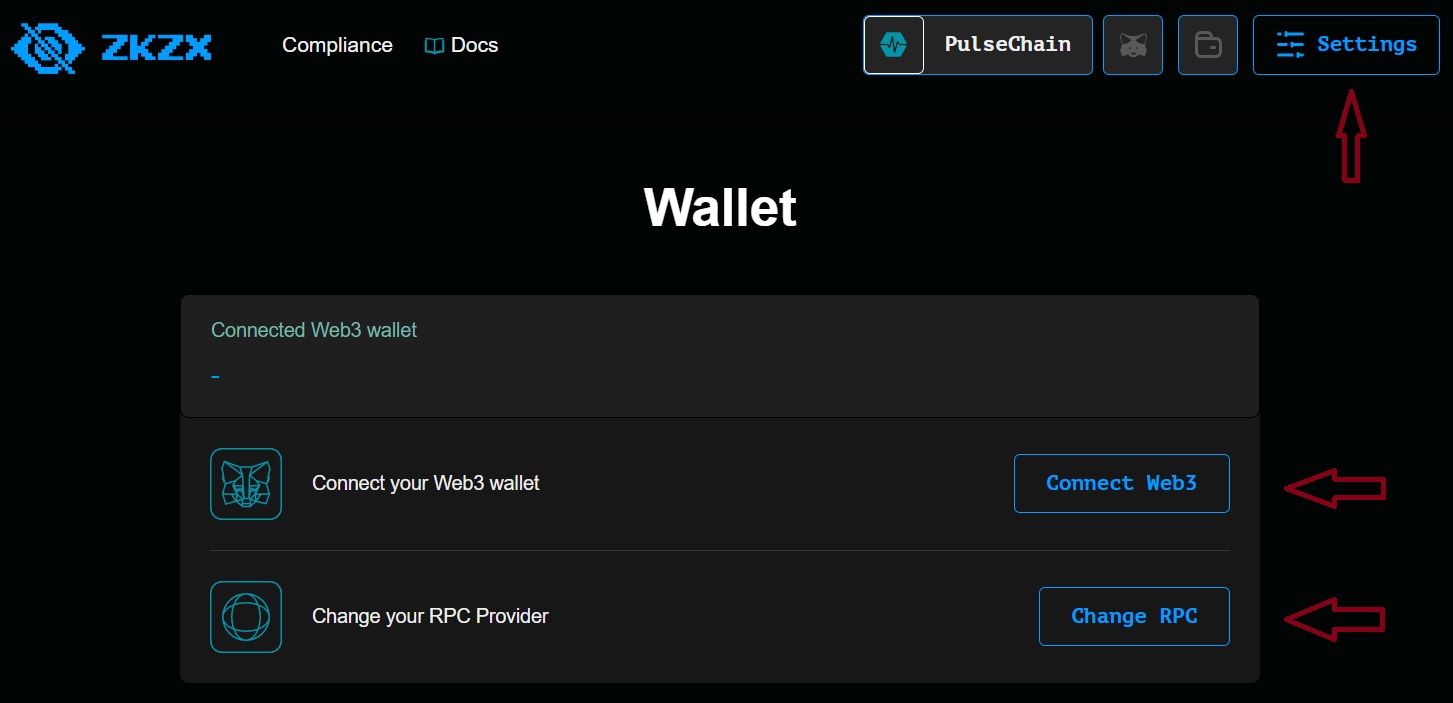
Click on settings to connect your wallet, or click on the icon from Metamask. In this section you can select as well a different RPC if you desire additional privacy, some RPCs are known to be collecting the users IP addresses and linking those IP addresses to wallets, thus, linking your physical address to your online crypto activity. If you are using a VPN and privacy protocols like ZKZX Cash Web App to transact you are not in danger from cyber criminals and corporations collecting and selling your data.
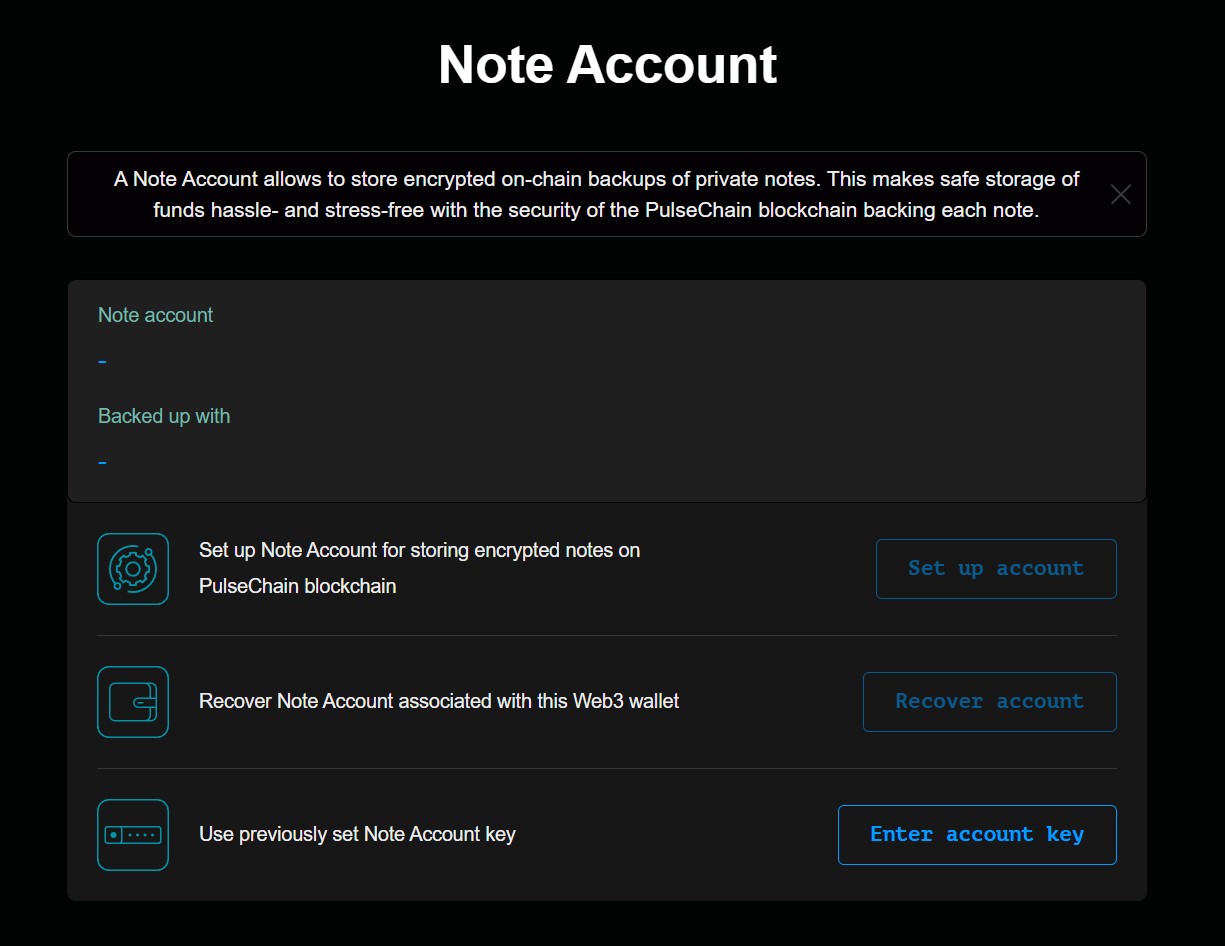
A Note Account allows to store encrypted on-chain backups of private notes. When setting up the account, be careful to select PulseChain, the default will be in Ethereum, you need to change it manually to PulseChain. This makes safe storage of funds hassle free with the security of the PulseChain blockchain backing each note.
Here you can set it up, recover one already created to be used for withdrawals or enter an account key to connect your wallet to the ZKZX Web App and import the previosuly setup account.
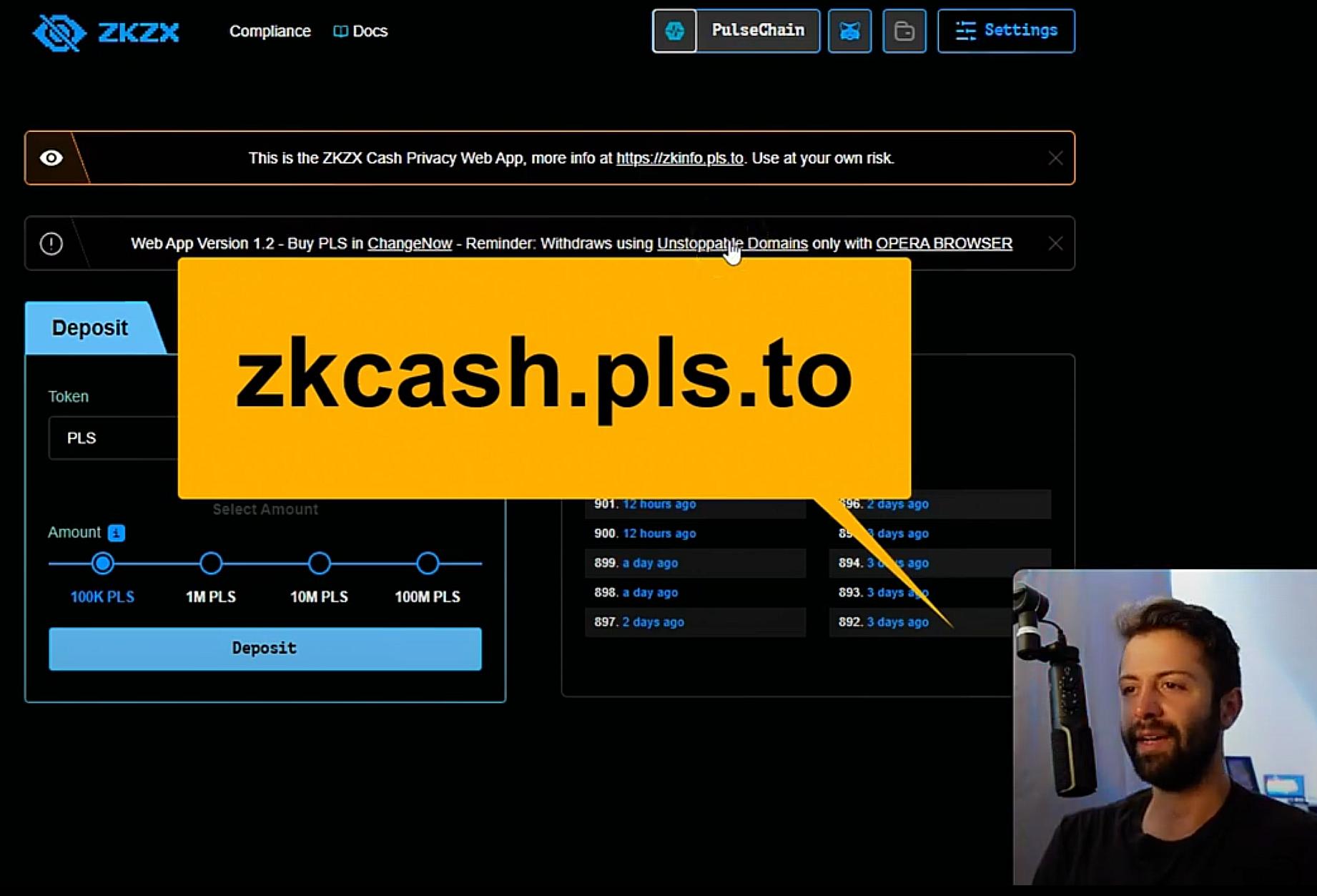
Shout out to Crypto Coffee, give him a follow, one of the few influencers out there doing the good work for the Pulsechain Network. Just do not use the link he recommends, it is outdated, the new one is https://zkzxcash.eth.link